
Sometimes you do not want an AI rewrite. You already have the exact English line you need: a meeting opener, a textbook sentence, a film quotation, or a phrase you finally looked up.
Use Add sentence rather than free speech:
- Free speech: you provide your attempt, and MirrorSay suggests a natural version to practise.
- Add sentence: you provide the target, and the app saves that wording to favourites for shadowing without rewriting it for style.
Find the sentence library and add a line
Open the sentence list from the top-right control and choose Add sentence. Some versions also offer a shortcut from the home screen, so the exact entry layout can vary.
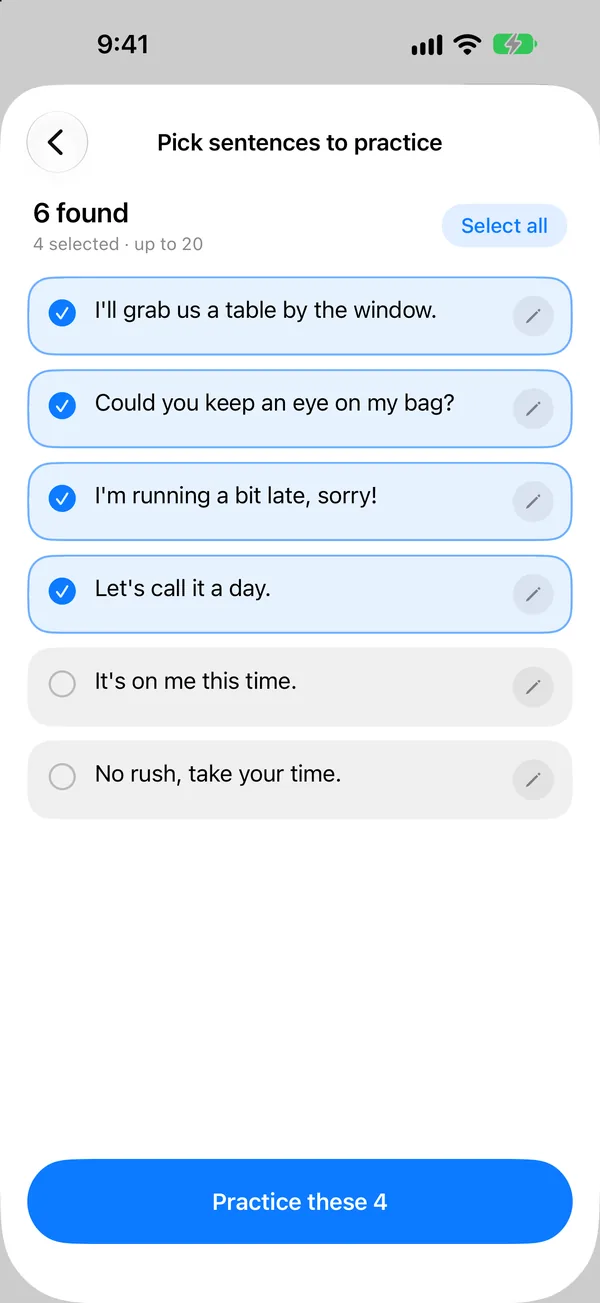
Type or paste the English, checking spelling, punctuation and capitalisation. A single sentence can be saved and practised immediately. A longer passage first becomes a list of candidates for you to select.
From a fixed line to a spoken sentence
Try *Could we push the meeting to Thursday afternoon?*
- Enter the entire sentence, including *Could*, which carries the polite tone.
- Save it to favourites and return to the target view.
- Play the reference, noticing its thought groups and intonation.
- Shadow it, then replay your recording and check *Thursday afternoon*.
- Reopen it from favourites next time instead of typing it again.
Saving is not the practice. Listen once, speak once and hear yourself once before you call it done.
Which sentences deserve a place?
Choose lines you will use, not a page of impressive expressions. A good candidate meets at least one of these conditions:
- You need it in an upcoming meeting, trip, call or class.
- It improves a sentence that recently caused you trouble.
- It contains a reusable pattern you can adapt to your own information.
- It comes from something you are reading or watching, with clear context.
Split long passages into meaningful sentences. Check names, numbers and specialist terms: preserving your input means the app does not verify its facts or suitability for you.
History, favourites and practice are different
Speaking leaves a record; the star marks something worth returning to. Add sentence places your chosen line directly in favourites, so a useful expression does not disappear after one result card.
Prune the collection. Remove lines you already own or no longer need, and keep the current real-world task visible. When reviewing, speak aloud rather than silently reading a notebook.
Have a whole passage, subtitles or a screenshot?
Continue with Import text and images into MirrorSay. If you are unsure whether to rewrite or preserve a line, revisit the first-practice guide; for feedback, see Shadowing and replay.